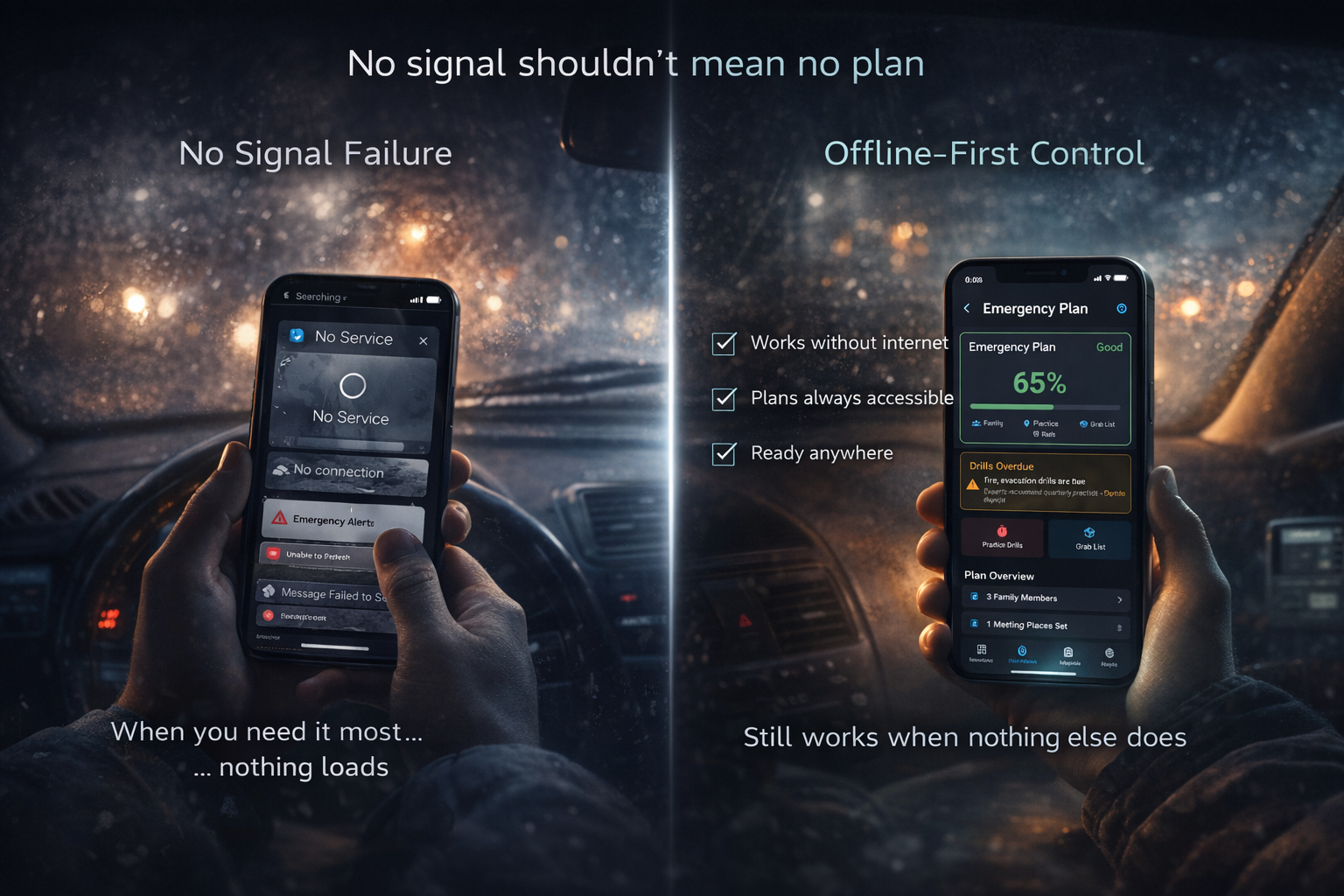
During Hurricane Maria in 2017, Puerto Rico lost 95% of its cell towers. The entire island — 3.4 million people — had essentially no cellular service. People with smartphones full of emergency apps had expensive paperweights. FEMA's app? Useless without a connection. Red Cross app? Same. Google Maps? Blank screen.
The apps designed to help in emergencies failed at the exact moment they were needed.
This isn't an edge case. It's the pattern. Every major disaster in the last two decades has involved significant communications infrastructure failure. And yet, the vast majority of emergency apps on the market still require an internet connection to do anything useful. That's not a design choice — it's a design failure.
When Infrastructure Fails: The Data
If you think losing cell service during a disaster is rare, the data says otherwise. Here's what happened during some of the most significant U.S. disasters in recent memory:
- Hurricane Katrina (2005): More than 2,000 cell towers were knocked out across the Gulf Coast. Entire parishes had zero cellular coverage for weeks. First responders couldn't coordinate. Families couldn't locate each other.
- Hurricane Harvey (2017): Over 300,000 people in the Houston metro area lost cell service. Flooding submerged cell tower base stations and severed fiber optic lines buried underground.
- Hurricane Maria (2017): 95% of cell sites in Puerto Rico were out of service. It took over 100 days to restore coverage to pre-storm levels. For months, large portions of the island had no way to make calls, send texts, or access the internet.
- Camp Fire, Paradise, CA (2018): Cell towers burned along with the town. Residents fleeing on gridlocked roads had no service to call 911, check evacuation routes, or contact family. The fire killed 85 people.
- 2021 Texas winter storm: Power outages and cell service failures lasted 4+ days for millions of Texans. When the electrical grid failed, cell towers lost backup battery power within hours. No power meant no internet, no cell service, and no heat — simultaneously.
- Maui fires (2023): Cell towers in Lahaina were destroyed, leaving residents unable to call 911 or receive emergency alerts. The fires killed 101 people in a town where many had no warning at all.
The pattern is unambiguous: every major disaster involves communication infrastructure failure. The FCC reports that the average time to restore cell service after a major disaster ranges from 7 to 14 days. During Hurricane Maria, it was over three months.
If your emergency plan depends on having cell service, you don't have an emergency plan. You have a fair-weather plan.
What "Offline" Actually Means (Most Apps Lie)
Search for "offline emergency app" in any app store and you'll find dozens of results. Most of them are lying — or at least stretching the truth far past the point of usefulness.
Here's what typically happens: an app labels itself "offline capable" because it caches the last screen you viewed. Or it stores a handful of static tips locally while requiring a network connection for everything else — your saved data, your maps, your documents, your emergency contacts. Put your phone in airplane mode and most of these apps become hollow shells: a logo, maybe a loading spinner, and nothing else.
There is a fundamental difference between an app that "works offline" and an app that was designed for offline. The distinction matters:
- "Works offline" (the marketing claim): Some features may function without internet. Cached data might be available. Core functionality likely requires a connection.
- "Designed for offline" (the engineering reality): All data is stored locally on your device. Every feature functions without a network request. The app assumes you have no connection and treats internet access as a bonus, not a requirement. When connection returns, it syncs.
The first approach is what you get when offline support is an afterthought — bolted onto a cloud-dependent app after the architecture is already set. The second approach requires building the entire app around local-first storage from day one. It's harder to build, but it's the only approach that actually works when the cell towers go down.
Here's a simple test: Put your phone in airplane mode right now. Open your emergency app. Can you access your emergency plan? Your family's contact information? Your important documents? Your evacuation route on a map? If the answer to any of those is no, that app will fail you in a disaster.
NomadCore tip: Every feature in NomadCore works without internet — including all 1,400+ emergency procedures, from first aid to water purification to shelter building. Your data lives on your device first. Cloud sync is there for backup and family sharing, but your local copy is always the source of truth.
The Five Things That Must Work Without Internet
Not everything in an emergency app is equally critical when you lose connectivity. But five categories of information are non-negotiable — if any of these require a cell tower to access, the app has a fatal flaw.
1. Emergency procedures and guides
"How to stop severe bleeding" should not require a cell tower. Neither should "how to purify water," "how to signal for rescue," or "how to treat a burn." Emergency medical and survival procedures are the single most time-sensitive category of information in a disaster. If someone is bleeding, you don't have time to wait for a connection. You need the answer on your screen, right now, from local storage.
NomadCore tip: NomadCore includes 1,400+ offline emergency procedures organized by category — first aid, water and food safety, shelter, navigation, weather hazards, and more. Every procedure is stored locally the moment you install the app. No download required, no connection needed.
2. Maps and navigation
When Google Maps shows "No connection," your pre-downloaded offline maps still show every road, every intersection, and every route you've marked. Maps are arguably the most underrated piece of emergency preparedness — and we'll cover this in detail in the next section.
3. Emergency contacts and plans
Your family communication plan. Your rally points. Your out-of-state emergency contact's phone number. The name of the hotel you agreed to meet at if you get separated. Where the kids' school evacuates to. All of this must be stored locally. If you can't look up your own emergency plan because your phone has no signal, the plan is worthless.
4. Important documents
Insurance cards. Medical records and medication lists. Copies of IDs and passports. Vaccination records. Property deeds. These documents matter most in the aftermath of a disaster — when you're filing insurance claims, getting medical care, or proving your identity at a shelter. They need to be encrypted (in case your phone is lost or stolen) and stored on-device (in case there's no internet for days).
5. Supply inventory
What's in your emergency kit? Is your first aid kit stocked? Did the water purification tablets expire? When did you last rotate the canned food? Tracking your supplies doesn't require the cloud. It requires a local database that you can check and update from your garage, your basement, or the trunk of your car — none of which are known for strong Wi-Fi signals.
NomadCore tip: NomadCore stores your documents encrypted on-device using AES-256 encryption. They're accessible anytime, even in airplane mode. Family sharing syncs when you have a connection, but your local copy always works — even if you don't have internet for weeks.
Offline Maps: The Most Underrated Emergency Tool
Most people have never tested whether their maps work without internet. They assume Google Maps or Apple Maps will be there when they need it. Here's the reality:
Google Maps offline mode is better than nothing, but limited. You can download specific regions for offline use, but they expire after 30 days if you don't reconnect. The downloaded areas don't include transit information, and you lose most points-of-interest detail. You also have to remember to download them in advance — and most people don't.
Apple Maps added offline maps in iOS 17, which is a step forward. But like Google, you must manually download regions ahead of time, and the maps are separate from any emergency planning context.
Dedicated offline map apps (like OsmAnd or Maps.me) offer full offline mapping, but they're single-purpose tools. Your maps are in one app, your emergency plan is in another, your documents are in a third. During a disaster, juggling between apps while your hands are shaking and your kids are crying is not a viable strategy.
The real value of offline maps in an emergency isn't just having a map — it's having a map that's integrated with your emergency plan. Your evacuation routes should be marked. Your family's rally points should be pinned. Shelter locations should be saved. Hospital locations should be visible. The map should be part of your plan, not a separate tool.
What to download
If you're serious about offline map preparedness, download more than just your immediate neighborhood:
- Your home area — a wide radius, not just your street
- All evacuation routes — including the backroads and alternates
- Your destination areas — wherever your evacuation plan takes you (family member's house, pre-identified hotel zone, shelter location)
- The corridor between you and your out-of-state contact — if your plan involves driving to a relative three states away, download every map tile along that route
Pro tip: Download your maps on the first day of hurricane season, the first day of wildfire season, or the first day of tornado season — whichever applies to your region. Set a calendar reminder. It takes five minutes and it could be the difference between navigating to safety and driving blind.
NomadCore tip: NomadCore's offline maps integrate directly with your emergency plans. Pin evacuation routes, mark rally points, save shelter locations, and access everything without internet. Your maps and your plan live in the same place — because during an emergency, you shouldn't have to switch between apps.
What About Ready.gov and FEMA Apps?
Government agencies have done valuable work in emergency preparedness education. Ready.gov is an excellent resource with detailed guides for every disaster type. FEMA's app provides real-time alerts and shelter locations. The Red Cross offers individual apps for hurricanes, earthquakes, tornadoes, and more.
But here's the problem: these tools were designed primarily as information delivery systems, not offline survival tools.
- Ready.gov is a website. It requires internet to access. Its content is outstanding, but it's useless when your connection is down.
- FEMA app: Good for receiving Wireless Emergency Alerts and finding open shelters — both of which inherently require connectivity. Its offline capabilities are limited to whatever you last cached.
- Red Cross apps: Separate apps for each disaster type means you need to predict which disaster you'll face. Most features require a data connection. The first aid app has some offline content, but it's a fraction of what you'd need in a prolonged infrastructure outage.
These are good tools for before and after a disaster — for preparation and recovery. But they're not designed for the moment when the infrastructure fails. They weren't built on the assumption that you'd have no internet, no cell service, and possibly no power beyond your phone's battery.
NomadCore was. From day one, the architecture assumed the worst case: no connection, no cell towers, no power grid. Every feature was built to function under those conditions. If the internet comes back, great — your data syncs. But if it doesn't come back for two weeks, everything still works.
The Bottom Line
The irony of most emergency apps is that they fail during actual emergencies. An app that requires internet to tell you what to do during a hurricane is not an emergency app — it's a weather app that crashes at the worst possible moment.
The infrastructure you rely on every day — cell towers, Wi-Fi, power grids — is precisely the infrastructure that disasters destroy first. Every data point from the last 20 years of U.S. disasters confirms this. Katrina. Harvey. Maria. The Camp Fire. Texas winter storm. Maui. The pattern doesn't vary.
Build your emergency system on the assumption that you'll have no connection, no power grid, and no cell service. If your plan works under those conditions, it works everywhere. If it doesn't, it's not a plan — it's a hope.
Hope is not a strategy. Offline-first design is.
Download NomadCore to build your family's emergency plan with 1,400+ offline procedures, downloadable maps, encrypted document storage, and family coordination — all accessible when cell towers and internet go down.